4 Best WooCommerce POS Systems: A Guide for Retailers

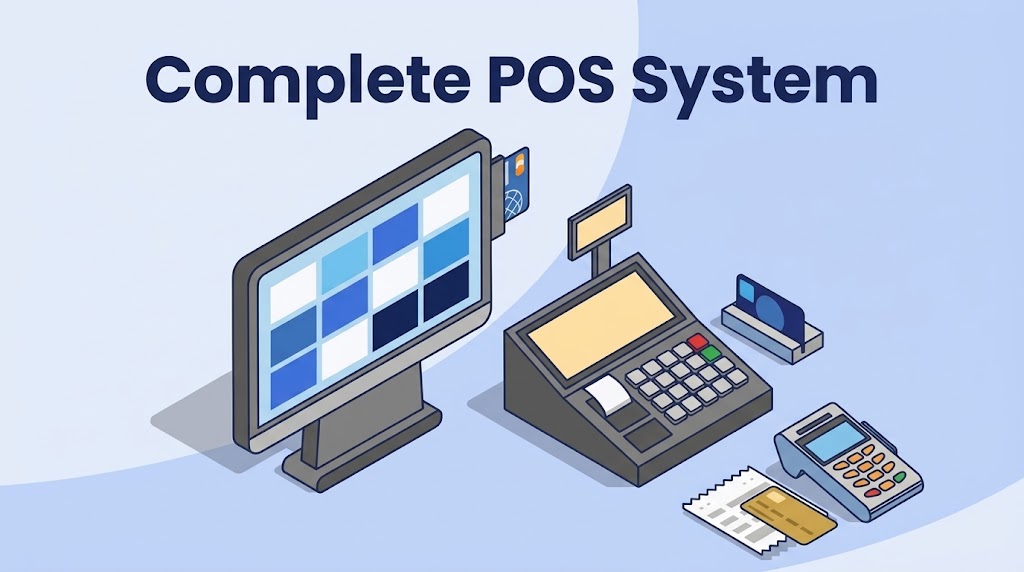
Businesses can identify a POS system that aligns with their goals and optimizes operations by conducting thorough research, comparing different solutions, and prioritizing essential functionalities. Read on for a thorough ranking of the top 4 best POS systems and why we included them.
4 Best POS Systems – A Quick Look
- Square POS: Best for startup retailers.
- Toast: Best for restaurants.
- Shopify POS: Best for eCommerce integration.
- Lightspeed POS: Best for clothing and apparel vendors.
#1 Square POS: Best for Startup Businesses
Square benefits startup retailers due to its user-friendly interface, streamlining payment processing and inventory management, and saving time and effort.
Additionally, Square offers affordable subscription pricing, making it accessible for small businesses with tight budgets.

Pros
- Decent reporting features
- Flexible hardware options
- eCommerce ready
Cons
- No processing flexibility
- Support is not as hands-on
$0/mo
- Basic inventory features
- SKU and barcodes
- eCommerce integration
$89/mo
- Bulk inventory imports
- Advanced reporting
- Employee tracking
Custom
- Advanced website tools
- Customized processing rates
- Tailored feature pricing
Square began in 2009 with a simple idea: a mobile credit card reader plugged into smartphones. This brainchild of Jack Dorsey and Jim McKelvey aimed to solve a common pain point for small businesses — the inability to accept credit card payments easily.
From there, they've grown into a full-service POS solution for many verticals including apparel, convenience store, grocery, liquor, coffee shop, furniture, and more. Their headquarters are in San Francisco. Learn more on the official Square POS site.
Key Features
- Square is one of the more plug-and-play style solutions. The turnkey setup and installation require minimal interaction with support.
- Easy training and an intuitive interface allow businesses to get up and running with minimal staff onboarding .
- Square charges retailers lower start-up costs than most other point of sale companies. Technically, you can get a free subscription, paying for the service through processing fees.
- The payment system is completely integrated. Once you're set up with Square, you're set up with their integrated payments .
Pros
Decent Reporting Features
Square POS offers decent analytics and reporting features suitable for businesses that don't require highly detailed insights. Its user-friendly interface provides essential data on sales and transactions without overwhelming businesses with overly complex reporting options.
Flexible Hardware Options
Square POS is compatible with various hardware options , including tablets, smartphones, and more, offering flexibility to businesses in choosing their preferred devices.
eCommerce Ready
Square integrates with eCommerce platforms, providing businesses with the capability to expand their online presence and manage online and offline sales channels efficiently.
Cons
No Processing Flexibility
Square processing fees are built-in and non-negotiable. If you want to shop around for lower rates , you must choose a different provider.
Support Not as Hands-On
Most correspondence Square provides is through email, social platforms, and message boards. Other POS providers with 24/7 in-house personnel can feel more active by comparison.
Pricing
Square offers all software as monthly subscriptions. Its plans start at $0 but require users to use Square payments and processing. The paid plans have a wide range of pricing options based on the features and functionality your business needs.
Square offers several hardware kits and a la carte hardware orders for individual registers and POS peripherals.
Hardware Kits:
- Square Register Retail Kit | $1,959 | Fully equipped POS system with a cash drawer, receipt printer, barcode label printer, barcode scanner, and Square Register
- Square Register Kit | $1,269 | Essential hardware package with a Square Register, cash drawer, and receipt printer
- Countertop POS Kit for Square Reader | $729 | Slimmed-down setup compatible with an iPad or Android tablet
Hardware Items:
- Square Register | $799
- Square Terminal | $299
- Square Stands | $149
- Square Readers | Free to $59
Subscriptions:
- Free ($0 plus processing fees): In person 2.6% + 10 cents / online 2.9% + 30 cents — integrated payments, returns, search, basic inventory, customer profiles, and eCommerce integration.
- Plus ($89/mo plus processing fees): In person 2.5% + 10 cents / online 2.9% + 30 cents — vendor and purchase order management, stronger reporting, time tracking and scheduling.
- Custom: Negotiated processing and individualized add-on pricing for larger companies.
#2 Toast: Best POS for Restaurants
Toast stands out as the premier restaurant POS system thanks to its comprehensive features tailored specifically for the food service industry.
With intuitive order management, customizable menu options, and seamless integration with third-party apps, Toast streamlines operations and enhances efficiency. See also our guide to WooCommerce POS for restaurants.

Pros
- Mobile accessibility
- Cost-effectiveness
- Solid inventory management
Cons
- Limited offline functionality
- Poor customer support
$0/mo
- Reporting & analytics
- Menu management
- Toast invoicing
$69/mo
- Toast mobile order and pay
- Toast delivery services
- Scheduling tools
Custom
- Payroll & team management
- Toast pay card
- Enterprise add-ons
Toast POS was founded in 2011 by Aman Narang, Steve Fredette, and Jonathan Grimm in Boston, Massachusetts. Originally starting as a simple POS system for restaurants, it has evolved into a comprehensive platform offering online ordering, inventory management, and customer relationship management. Official site: Toast.
Key Features
- Restaurants can customize the POS to meet their specific menu configurations and loyalty programs , providing a tailored experience for staff and customers.
- Integration with various restaurant operations, including point-of-sale online ordering and kitchen management systems, streamlines workflows and service efficiency.
- Toast provides robust restaurant sales reporting and analytics tools, helping hospitality businesses gain valuable insights into sales trends, customer preferences, and operational performance.
- The cloud-based platform ensures scalability to accommodate growth while providing reliability during peak hours.
Pros
Mobile Accessibility
With Toast's mobile POS capabilities , staff can take orders, process payments, and access key functionalities anywhere in the restaurant.
Cost-Effectiveness
Despite its comprehensive feature set, Toast POS offers competitive pricing and transparent plans for restaurants that need advanced functionality.
Solid Inventory Management
Toast POS includes robust inventory management features that help restaurants track stock levels, monitor ingredient usage, and automate reordering processes .
Cons
Limited Offline Functionality
While Toast POS offers some offline capabilities, such as offline mode for order taking, its full suite of features may not be accessible without an internet connection.
Poor Customer Support
Many clients reported that Toast customer support is seriously lacking. From ignoring customers to charging extra for adequate consumer care, there is no shortage of complaints on Reddit and Software Advice.
Pricing
Processing Fees
Toast fees typically range from 2.49% to 3.69% per transaction, plus a flat fee per transaction. Larger volume retailers can potentially negotiate custom quotes for lower rates.
Termination Fees and Contracts
Toast often requires a multi-year contract and may charge a cancellation fee for early termination.
Subscriptions
- Starter Kit: $0 per month — recommended for 1 location and 1–2 terminals; basic reports and menu management.
- Point of Sale: $69 per month — recommended for more than 2 terminals or 2–15 locations; employee and inventory tools plus partner integrations.
- Custom pricing — for larger restaurant groups seeking tailored solutions.
#3 Shopify POS: Best for eCommerce Integration
Shopify is the top POS system for eCommerce integration due to its unparalleled versatility and scalability.
With seamless synchronization between online storefronts and brick-and-mortar operations, Shopify simplifies inventory management and order fulfillment, ensuring a cohesive customer experience across all channels.
Pros
- Easy to get started
- Integration options
- Good technical support
Cons
- Short free trial
- Less interface flexibility
$29/mo
- For “solo entrepreneurs”
- Shipping discounts
- 24/7 support
$79/mo
- For “small teams”
- Additional staff logins
- Lower processing rates
$299/mo
- For scaling a business
- Custom reporting
- Enhanced support
Shopify POS was initially developed to power an online snowboard equipment store. It quickly evolved into a comprehensive eCommerce platform. In 2013, Shopify expanded its offerings to provide brick-and-mortar retailers with a POS to bridge their physical and online stores. Official overview: Shopify POS.
Key Features
- POS integration with Shopify's robust ecommerce platform, ensuring smooth inventory, orders, and customer data synchronization between online and offline channels.
- Actionable insight reporting into eCommerce performance enables informed decisions to optimize sales strategies, inventory management, and overall operations.
- Deliver a cohesive shopping journey by managing sales, marketing , and customer interactions across various eCommerce channels.
Pros
Easy to Get Started
The intuitive interface and straightforward setup process allow businesses to start selling both online and in-store in no time.
Integration Options
With various trusted partners offering complementary services and features, Shopify POS users can enhance operations and customer experience .
Good Technical Support
Customer reviews are generally positive towards Shopify POS support, mentioning phone, chat, and email assistance.
Cons
Really Short Free Trial
Shopify POS free trial only lasts three days. This period is significantly shorter than many other competitors.
Less Interface Flexibility
Retailers often like to modify interfaces to optimize workflow. Many users have reported that the dashboard is a bit rigid, lacking customization options.
Pricing
No Cancellation Fees
Shopify does not charge fees for canceling subscriptions. Retailers can cancel at any time to stop charges, though unused billing-cycle time is typically not refunded.
Hardware Options
- Wired Countertop Bundle | $999
- POS Terminal Countertop Kit for USB-C Tablets | $459
- POS Go | $299
- Star Micronics 14″ Cash Drawer | $139
- Tap & Chip Card Reader | $49
- Barcode scanners range from $199 to $289
- Receipt printers range from $259 to $399
Subscription Tiers
Shopify has multiple subscription tiers with discounts for annual prepay. POS Pro Location add-ons (~$89/month per location) unlock deeper in-person retail tools.
- Basic: solo entrepreneurs, multi-channel inventory, analytics.
- Shopify: small teams, extra staff logins, better rates.
- Advanced / Plus: custom reporting, higher checkout capacity, enterprise controls (Plus is premium-priced).
#4 Lightspeed POS: Best for Clothing and Apparel Vendors
Lightspeed emerges as the premier POS system for apparel retailers owing to its specialized features tailored specifically for the fashion industry.
With robust inventory management capabilities, including size and color variants, Lightspeed enables retailers to track and organize their merchandise efficiently. Official site: Lightspeed Retail.

Pros
- Solid support
- Strong inventory management
Cons
- eCommerce integration lacking
- More expensive than competitors
$69/mo
- Registers
- Free training resources
- Dedicated account manager
$119/mo
- Lightspeed B2B
- Accounting
- eCommerce
$199/mo
- Omnichannel loyalty
- Advanced reporting
Dax Dasilva founded Lightspeed POS in 2005. The company is headquartered in Montreal and has offices in Canada, Europe, the US, and Australia. In recent years, Lightspeed acquired Chronogolf, Shopkeep, Vend, and Ecwid to expand retail and eCommerce coverage.
Key Features
- Advanced inventory management tools allow businesses to track sizes, colors, styles, and variants.
- Minimize stockouts and ensure you have the right products and sizes available to meet customer demand.
- Integrated customer relationship management (CRM) tools empower apparel retailers to create personalized shopping experiences that drive customer satisfaction and loyalty.
Pros
Solid Support
Lightspeed is renowned for its support system, offering various channels, including live chat, phone support, and email tickets. The provider also offers one-on-one onboarding assistance.
Strong Inventory Management
Lightspeed boasts robust inventory management capabilities, allowing businesses to easily track stock levels, manage suppliers , and optimize reordering processes.
Cons
eCommerce Integration Lacking
Some users find that Lightspeed's eCommerce capabilities are not as extensive or intuitive, requiring additional third-party solutions to meet their online selling needs.
More Expensive Than Competitors
While it offers comprehensive features and robust support, some businesses may find the cost prohibitive compared to other POS solutions with similar functionality at a lower price point.
Pricing
Lightspeed offers merchants several subscription plans and heavily incentivizes annual plans. All merchants are typically required to use Lightspeed's payments.
Credit Card Processing:
Lightspeed's fees are commonly around 2.6% + 10¢ for in-person purchases across plans.
Termination Fees:
Early termination fees can include unpaid upfront fees, remaining recurring fees for the contract term, and clawbacks on hardware or software discounts.
Hardware:
Lightspeed runs on iPads. Options include tablet stands ($89–$199), receipt printers, barcode scanners, cash drawers, and card readers.
Subscription Plans:
- Lean: dedicated account manager, onboarding, 24/7 chat, one register with integrated payments.
- Standard: adds eCommerce and accounting integrations for omnichannel retailers.
- Advanced: omnichannel loyalty and advanced reporting on top of Standard.
How to Choose the Right POS System
Identify Your Business Needs
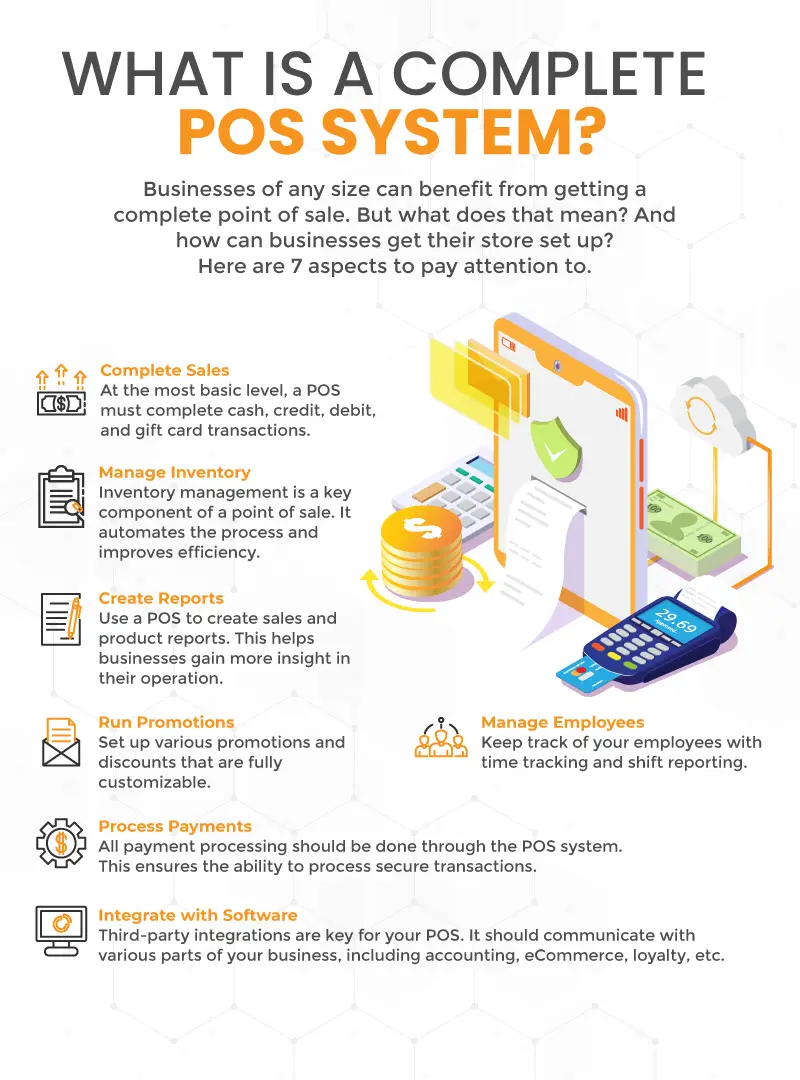
Assess your business requirements, including industry-specific features, scalability, and integration capabilities, to determine the essential functionalities your POS system must have. Choose a POS system with a clear checklist before you demo.
Consider User-Friendliness
Choose a POS system with an intuitive interface that is easy for your staff to learn and use effectively, reducing training time and minimizing errors during transactions.
Assess Integration Options
Look for a POS system that integrates seamlessly with other software solutions you use, such as accounting software, eCommerce platforms, or inventory management systems — especially WooCommerce if that is your catalog.
Evaluate Hardware Compatibility
Ensure that the POS system is compatible with the hardware you already have or plan to use, such as tablets, terminals , or card readers, to avoid additional costs and compatibility issues.
Review Reporting and Analytics Features
Select a POS system with robust reporting and analytics tools that provide valuable insights into sales performance, inventory management, and customer behavior. Discover Advanced Analytics and Custom Reports.
Consider Payment Processing Options
Evaluate payment methods, EMV compliance, and transparent pricing. Determine what processing fees your provider charges, and/or whether they allow flexible third-party processing .
Review Pricing Structure
Compare upfront costs, monthly subscription fees, transaction fees, and additional charges for extra features. Find a solution that aligns with your budget and offers the best value.
Prioritize Customer Support
Choose a POS platform that offers reliable customer support through phone, email, or live chat. Response times should be prompt. Or Contact Us Here.
Choosing the Right POS System for WooCommerce Retailers
Remember, the right POS system isn't just a tool; it's a strategic investment that can streamline operations, boost efficiency, and drive profitability. Carefully research all options to select a POS system that propels you toward success confidently.
Frequently asked questions
Which POS is best for a small retail store?
Square and Shopify POS both work well for small retailers. Shopify POS is stronger when you already sell online; Square is simpler if you want the fastest solo-operator setup.
Do I need new hardware for a WooCommerce POS?
Not always. Many shops reuse compatible printers, scanners, and cash drawers. Confirm device support before buying a full kit.
Should restaurants use a retail WooCommerce POS?
Dedicated restaurant platforms like Toast are usually better for table service and kitchen routing. A WooCommerce-native POS fits retail and simpler food counters that already live in WooCommerce — see WooCommerce POS for restaurants.
Written By
Arjun Sharma specializes in WooCommerce plugin reviews and retail technology analysis. Based in London, he covers POS systems, loyalty platforms, and small-business automation.
Read more by Arjun