5 Best POS Systems for Appliance Stores in 2026: Features, Pricing & Pros and Cons

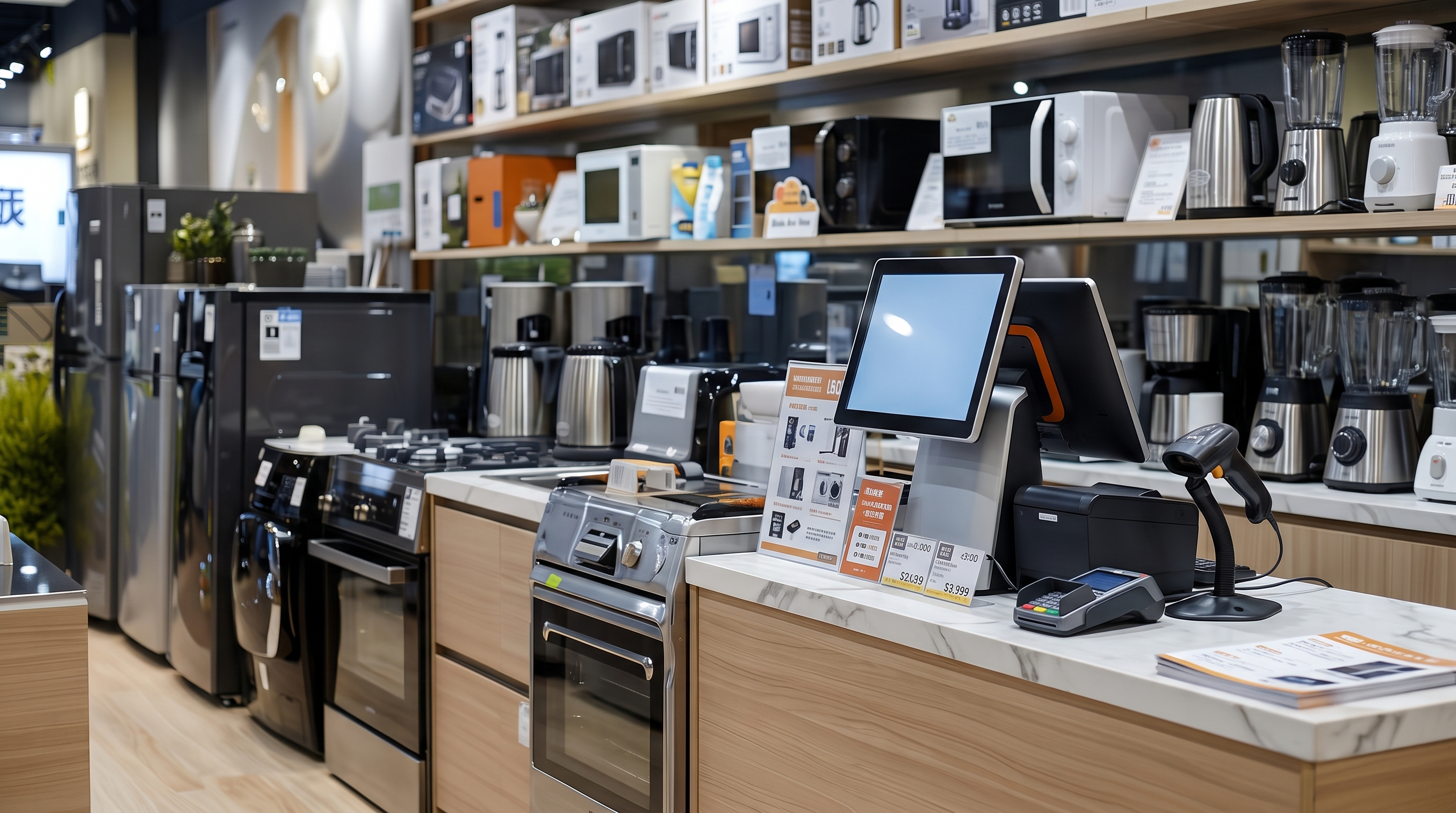
The article concludes with advice on choosing the right POS system for your appliance store, including consideration of inventory management, customer relationship management, sales and marketing tools, reporting capabilities, and scalability.
Whether you're a small appliance retailer or a large chain, this guide will help you decide on the best POS system for your business needs.
- Inventory management: The best POS systems for appliance stores offer robust inventory management features, including tracking complex product variations, serial numbers, and real-time stock tracking across multiple locations.
- Customer relationship management: Look for POS systems with strong CRM capabilities to manage customer profiles, purchase histories, and service records, essential for building loyalty in the high-ticket appliance market.
- Flexible sales and marketing tools: To drive sales in the competitive appliance retail sector, choose a POS that offers customizable pricing, promotions, and financing options.
- Reporting and analytics drive decision-making: Advanced reporting features help track sales performance, profit margins, and inventory turnover, enabling data-driven decisions crucial for appliance store success.
- Scalability and integration: Select a POS system that can grow with your business, offering eCommerce integration, multi-store capabilities, and compatibility with other business software to future-proof your operations.
#1 Lightspeed Retail
Known for its robust inventory management with serial tracking, Lightspeed Retail is ideal for appliance stores with high-value items. Its multi-channel sales integration ensures seamless operations between online and physical stores. Features like product variants, bundling, and special orders make it a versatile option for appliance retailers.
Pros
- Multi-channel sales integration
- Customizable reporting and analytics
- Integrated payment processing
Cons
- Higher cost for premium features
- Steep learning curve
- Customer support can be inconsistent
$109/mo
- Access supplier catalogs
- Basic built-in eCommerce
- Integrated payments
$179/mo
- In-store and online loyalty
- Mobile scanner app
- Strong staff & inventory
$339/mo
- Integrated forecasting
- API access
- Custom user roles
Key Features
Here are key features of Lightspeed Retail relevant to appliance stores and electronics:
- Inventory management with serial tracking: Appliance and electronics stores often deal with high-value items that require individual tracking. Lightspeed's inventory management includes serial number tracking to help store owners track each product from the moment it arrives until it is sold, making it easier to manage warranties and returns.
- Multi-channel sales integration: With the growing trend of selling online and in-store appliances and electronics, Lightspeed provides seamless eCommerce integration. It allows businesses to manage their online and physical stores from a single platform, syncing inventory and sales data across all channels.
- Product variants and bundles: Electronics and appliance stores often sell items in different configurations (e.g., color, size, or bundled with accessories). Lightspeed enables retailers to create and manage product variants and bundled items, simplifying the sales process for products with multiple versions or bundled packages.
- Special orders and pre-orders: Lightspeed's special orders feature allows retailers to handle custom or out-of-stock items that customers need to order. The feature is handy for electronics and appliance stores, where specific models or accessories might need to be sourced on demand.
- Customer relationship management (CRM): Lightspeed provides integrated CRM tools that help appliance and electronics stores track customer purchase history, preferences, and warranty information.
Pros
- Multi-channel sales integration: Lightspeed excels in providing seamless omnichannel solutions. It integrates well with eCommerce platforms, allowing businesses to manage in-store and online sales from a single dashboard. This capability is crucial for retailers who operate in both physical and online spaces, offering a consistent customer experience and simplifying sales management across different channels.
- Customizable reporting and analytics: Lightspeed offers advanced, highly customizable reporting features. Business owners can generate detailed reports on sales, inventory, employee performance, and customer behavior.
- Integrated payment processing: Lightspeed provides integrated payment solutions, meaning businesses can process payments quickly and securely without needing third-party processors. The integration supports various payment methods, including credit cards, mobile payments, and contactless payments. It's important to note, though, that this comes at a higher cost to the merchant.
FIND OUT HOW MUCH YOU'RE SPENDING.
Calculate your total processing fees
Cons
- Higher cost for premium features: While Lightspeed POS offers a wide range of features, accessing its full potential comes at a higher price. The more advanced features, such as analytics, multi-store management, or eCommerce integrations, are only available in the more expensive plans. For small businesses or startups with limited budgets, this can make Lightspeed less accessible, especially compared to more affordable POS systems.
- Steep learning curve: Due to the extensive features and customization options available, Lightspeed POS can be overwhelming for new users. The interface may take some time to get used to, particularly for those not tech-savvy or unfamiliar with complex POS systems. Proper training is often necessary, which could lead to downtime or additional costs in onboarding employees.
- Customer support can be inconsistent: While Lightspeed generally offers good customer support, some users have reported inconsistent experiences with response times or the quality of support they received. There may be occasional delays or difficulties in resolving complex issues. For businesses that rely heavily on fast technical support, this inconsistency can disrupt operations during critical moments.
Pricing
Lightspeed Retail has a pricing model that includes monthly subscription fees and optional transaction processing charges. Here's an overview:
#2 MicroBiz POS
MicroBiz offers work orders, crucial for appliance stores that handle repairs. Its credit accounts feature allows flexible customer financing, making it easier to sell big-ticket items. Bundled items and kits streamline sales by offering product packages common in appliance stores.
Pros
- Robust work orders system
- QuickBooks integration
- Extensive product catalog
Cons
- Limited hardware compatibility
- Limited eCommerce integration
- Dated user interface
$60/mo or $600/year
- Unlimited phone/email support
- Cloud hosting
- Product catalog management
$90/mo or $900/year
- Up to 150K product records
- WooCommerce / WordPress sync
- QuickBooks Online integration
Custom Pricing
- Unlimited users
- Customization
- Multi-location support
Key Features
- Work orders: MicroBiz POS allows businesses to create and track detailed work orders, including customer information, item details, and service requirements. The feature helps streamline the repair process. It ensures technicians have all the information required to complete jobs efficiently and that customers can easily check the status of their repairs.
- Credit accounts: Offering credit accounts is a valuable feature for high-ticket items such as appliances and electronics. MicroBiz POS's credit account feature allows businesses to manage customer credit, set up payment plans, and track outstanding balances. The functionality enables stores to offer flexible payment options, potentially increasing sales of higher-priced items and improving customer satisfaction.
- Robust product catalog: The product catalog feature is crucial for managing the diverse inventory in appliance stores and electronics shops. MicroBiz POS allows you to maintain a detailed and customizable product catalog to manage thousands of SKUs. It will enable businesses to maintain detailed records of each item, including specifications, pricing, and stock levels.
- Bundled items and kits: Appliance and electronics retailers often sell bundled items, such as washing machines, dryers, or home theater systems. MicroBiz POS allows stores to create bundles or kits, combining products for fast and easy checkout and inventory tracking. With this feature, you can enhance sales by offering deals or promotions on related items and simplify stock management by automatically adjusting bundled inventory.
- QuickBooks integration: QuickBooks accounting software is valuable for appliance stores and electronics retailers. This feature allows seamless data transfer between the POS system and QuickBooks, ensuring accurate financial records and simplifying bookkeeping tasks.
Pros
- Robust work orders system: MicroBiz POS is highly regarded for its work order management, which is particularly beneficial for appliance stores that offer services or repairs. The system allows users to track repair jobs, schedule service appointments, and keep detailed records of parts used and labor involved.
- Credit accounts and customer management: MicroBiz POS allows businesses to offer credit accounts to customers, which can be a valuable tool for building loyalty and encouraging repeat business.
- Bundled items and kits for streamlined sales: The system supports bundled items and kits, making selling multiple products as a single unit easy. This feature is handy for electronics or appliance stores that may sell products in packages.
Cons
- Limited hardware compatibility: One of MicroBiz POS's downsides is its limited hardware compatibility compared to other POS systems. It works primarily on Windows-based hardware, which may not suit businesses that prefer Mac or iOS devices.
- Dated user interface: MicroBiz POS, while functional, is often critiqued for its outdated user interface. The design and layout are not as modern or intuitive as newer POS systems, making navigation more difficult, especially for users accustomed to more polished, user-friendly interfaces. This can result in a steeper learning curve and slower adoption, particularly for businesses upgrading from newer systems.
- Limited eCommerce integration: While MicroBiz POS supports some online sales functionality, its eCommerce integration is limited compared to other systems, like Lightspeed or Shopify.
- Lack of advanced customization options: MicroBiz POS offers many useful features but falls short in advanced customization options for specific workflows or business models. Some users find it lacks the flexibility to tailor the system to their unique needs. For example, businesses with very specialized operations or those needing specific integrations may find the platform somewhat rigid, requiring workarounds or additional tools to meet their needs.
Pricing
MicroBiz POS offers tiered pricing plans to accommodate different business needs. You get 12 months for the price of 10 with an annual plan.
Here are the details of their pricing plans:
Additional Costs
- Hardware: MicroBiz sells the hardware it supports and uses to test MicroBiz Cloud through its partner, POSGuys. Any hardware purchased from POSGuys includes free setup and lifetime support from POSGuys.
- Free setup/training: Subscription comes with up to four hours of complimentary software installation, setup, and training. MicroBiz also provides in-person instruction. For an additional cost, they can connect you with a certified VAR from their partner directory for on-site training.
- Free data import/conversion: MicroBiz POS offers import tools at no cost to transfer your data using our standard export/import format. Alternatively, merchants can send their data to be reviewed and imported by MicroBiz.
- Free trial: MicroBiz POS offers a 21-day free trial. However, certain features, like emailing receipts and integrations, are disabled for security purposes.
#3 Celerant POS
The retail POS system from Celerant POS excels in order processing and inventory management, making it perfect for handling large, customizable items. Their digital marketing services help appliance stores connect with customers, while mobile POS enables staff to assist customers on the floor, improving the overall shopping experience.
Pros
- Highly customizable
- Grows with your business
- Advanced inventory control
Cons
- Steep learning curve
- Early termination fees
- High upfront cost
$125/mo
- Up to five back-office users
- Inventory management
- Customer loyalty programs
$250/mo
- Mobile-friendly templates
- Smart product search
- Order fulfillment tools
$350/mo
- In-store and online capabilities
- Integrated retail solution
- POS and web integration
Custom pricing
- Designed for larger businesses
Key Features
- Order processing: Celerant POS offers a streamlined order processing system ideal for appliance stores. It enables sales associates to manage orders from multiple locations, warehouses, or vendors, ensuring that customers can order products not available in-store for later pickup or delivery. The system supports various payment methods, layaways, deposits, and special orders, all of which are useful in managing high-ticket items and providing flexibility to customers.
- Inventory management: Appliance stores often carry a wide range of products with different SKUs, brands, and models, making inventory management a crucial feature. Celerant POS offers real-time inventory reporting, automated reordering, and stock level updates across multiple locations or warehouses.
- Digital marketing tools: Celerant POS includes digital marketing features so appliance stores can connect with customers through personalized email campaigns, SMS marketing, and targeted promotions. The system can also integrate customer data and shopping history to create more effective, personalized marketing strategies to drive repeat business and increase customer loyalty.
- Mobile POS: The mobile POS feature allows sales associates to assist customers throughout the store, providing information on products, pricing, and stock availability, all from a mobile device. This is particularly useful in larger appliance stores where customers may want immediate assistance without going to the checkout counter. It also facilitates faster sales and improved customer experience by enabling transactions anywhere on the sales floor.
- Product catalog and information management: Celerant provides a robust product catalog that allows stores to offer detailed product descriptions, specs, pricing, and availability. Sales staff can easily access this information to assist customers.
- Omnichannel integration: Celerant POS supports omnichannel integration, key for appliance stores with physical and online sales channels. This feature allows for seamless integration between the in-store POS system and an online storefront, ensuring that inventory, orders, and customer data are synchronized across all platforms.
Pros
- Unified retail management: Celerant combines all your sales channels – from brick-and-mortar stores to online platforms and mobile apps. This integration ensures that critical data like inventory, sales figures, and customer information stays synchronized across all channels.
- Highly customizable: Celerant's software stands out for its adaptability. Users can customize reports, add specific features, and fine-tune your eCommerce setup to match your unique business requirements. This flexibility is particularly valuable for companies with specialized processes or those catering to niche markets that standard POS systems might not adequately serve.
- Advanced inventory control: Celerant excels in inventory management, offering real-time tracking across multiple locations. The system can handle complex inventory scenarios, such as items with multiple variations in size or color. It also includes smart features like automatic reordering, helping you maintain optimal stock levels and avoid shortages and excess inventory.
- Grows with your business: As your company expands – whether you're opening new locations, enhancing your online presence, or diversifying your product range – Celerant POS can adapt accordingly. This scalability is crucial for forward-thinking businesses, eliminating the need for disruptive system changes as you grow.
Cons
- High upfront cost: The initial investment for Celerant POS, especially the Stratus Enterprise version, can be expensive for smaller businesses. This includes the cost of software licenses, hardware, and any necessary customization, which can quickly add up.
- Customization expenses: While Celerant is known for its ability to be customized, the more tailored the system becomes, the more it can cost. Businesses need to carefully balance the benefits of customization with the potential price increase.
- Steep learning curve: Due to its wide range of features and customization options, Celerant POS may be challenging to learn. Training staff to use the system effectively could take time, and ongoing POS support may be required, adding to operational costs.
- Limited advanced reporting: Some users feel Celerant POS lacks robust reporting features compared to other systems. While it provides basic reports like sales and inventory, it may fall short for businesses needing more detailed analytics, such as customer behavior insights or custom financial reports.
- Early termination fees: Celerant often includes early termination fees in their contracts, which can be a downside for businesses seeking flexibility. If a business needs to end the agreement early, it may face substantial fees, making switching to a different system harder.
Pricing
Celerant POS offers different pricing plans based on the type of business and the product you choose. Here's a breakdown of the main options:
#4 Storis
Storis offers flexible inventory management and customizable product bundling. Its integrated vendor chargeback and warranty management streamline after-sales services and repairs, improving operational efficiency.
Pros
- Data management across channels
- Great inventory management
- Extensive reporting and analytics
Cons
- Not ideal for small retailers
- Poor UX-design
- Slow software with repetitive bugs
$599/mo
- Flexible inventory
- Customizable bundling
- Warranty management
Key Features
- Flexible inventory management: STORIS simplifies inventory control by allowing you to adjust stock levels, update product details, manage pricing, and handle special orders from one easy-to-use screen. You can quickly adjust quantities, apply discounts, and handle chargebacks without juggling multiple systems.
- Furniture Website UX design & SEO services: eSTORIS is an eCommerce platform designed specifically for furniture retailers. It seamlessly integrates with in-store operations. To optimize the platform's performance, their professional web and UX designers and Google-certified SEO specialists provide a full range of website services.
- Customizable product bundling: Appliance stores can sell products as flexible "kits," allowing customers to mix and match items like refrigerators, ovens, and dishwashers into a complete package.
- Efficient vendor chargeback handling: STORIS' vendor chargeback feature efficiently tracks damages and repairs. It allows you to recover costs by tracking authorization numbers and reports, ensuring you receive proper credit from manufacturers for defective or damaged merchandise.
- Seamless rebates and profit adjustments: You can easily track products sold during rebate periods and adjust your costs accordingly. This ensures that your profits reflect vendor rebates so you can accurately manage your margins.
- Streamlined customer service & repairs: STORIS makes appliance repairs easier by linking service orders to customer records and original sales. It gives your team the tools to manage warranties, track repair parts, and schedule service appointments efficiently.
- Integrated accounting: STORIS connects your inventory, sales, and accounting systems. The integrated accounting capabilities eliminate the need for manual data entry and ensure more accurate records.
Pros
- Centralized data management across channels: STORIS integrates sales, inventory, customer data, and more into a single system that updates in real-time across all channels. It simplifies operations for businesses that manage multiple sales platforms, which is especially helpful for retailers in industries with extensive product lines.
- Inventory management: The solution offers inventory management tools, allowing businesses to track stock levels, manage purchase orders, and optimize replenishment. It supports warehouse management, making it easier for companies with complex supply chains.
- Extensive reporting and analytics: STORIS includes advanced reporting tools that allow businesses to create customizable reports for sales, performance, and financial data. Retailers can gain insights into customer behavior, product performance, and operational efficiency, helping to refine strategies and improve overall profitability.
- Seamless integration with eCommerce platforms: STORIS's eCommerce capabilities help retailers unify their in-store and online operations. The platform integrates with various eCommerce systems and provides a consistent shopping experience.
Cons
- High implementation and setup costs: One of the significant downsides of STORIS is the potentially high cost of implementation, particularly for smaller retailers. The platform's comprehensive features may require substantial time and resources to set up, customize, and train employees.
- Complexity for smaller retailers: Smaller retailers may find the platform overly complex for their needs. It has many advanced features that smaller businesses might not use, and the learning curve can also be steep for retailers unfamiliar with enterprise-level solutions.
- Limited industry focus: STORIS primarily serves furniture, bedding, and appliance retailers, so its features are tailored to these industries. Certain features may feel redundant or irrelevant for businesses outside its core industry focus, making them less adaptable compared to broader POS solutions.
- Customization can be time-consuming: Customizing reports, workflows, and features can be time-consuming and may require technical expertise. Retailers without an IT department or dedicated staff may rely on outside help, which could lead to delays in implementation or additional ongoing costs.
Pricing
To get a precise quote for your specific needs, it's recommended that you contact STORIS directly. They can provide a personalized breakdown of costs based on your requirements. However, the starting price is $599.
#5 LS Retail
With advanced inventory management and payment and financing options, LS Retail is ideal for appliance stores dealing with high-ticket items. Its product and warranty management and omnichannel integration ensure seamless operations across physical and online stores.

Pros
- Scalability for growing businesses
- Strong omnichannel support
- Customizable reporting and analytics
Cons
- Poor customer service
- Steep learning curve
- High upfront and ongoing costs
$222/mo per terminal
- Point of sale system
- Products and inventory management
- Pricing and offers management
$25k–$90k+
- Small businesses: $25k–$50k+
- Medium-sized businesses: $50k–$90k+
- Large businesses or complex requirements: $90k+
Key Features
- Payment and financing options: LS Retail integrates with various payment gateways and supports flexible payment options, including installment plans and financing, which are common in selling big-ticket items like appliances. It can process payments securely, whether in-store, online, or through mobile devices, and manage complex payment workflows such as partial payments or mixed tenders.
- Advanced inventory management: LS Retail enables appliance stores to efficiently manage large inventories with multiple product variations. It allows tracking stock levels across multiple locations, automates replenishment, and provides real-time product availability visibility.
- Product and warranty management: Appliance stores often need to handle product warranties and after-sales service. LS Retail allows tracking and managing warranties, offering features linking warranty information directly to the sale. It ensures the store can easily look up warranty details if a customer returns with an issue. It also facilitates managing service requests and repairs.
- Omnichannel integration: LS Retail supports appliance stores that operate across multiple channels (physical stores, eCommerce, mobile sales). It enables seamless sales, customer data, and inventory integration across these platforms, ensuring customers can purchase or inquire about products online and pick them up or return them in-store. This flexibility is key for modern appliance retailers catering to online and offline shoppers.
- Customer relationship management (CRM): With CRM features, appliance stores can track customer preferences, purchase history, and interactions, enabling them to offer personalized service and promotions. The system supports loyalty programs and targeted marketing campaigns.
Pros
- Scalability for growing businesses: LS Retail is highly scalable and ideal for small and large multi-location businesses. As appliance stores expand and open new locations, LS Retail can easily adapt to handle the increased complexity, offering centralized control over various operations. Its cloud-based structure also allows businesses to expand easily into eCommerce or new regions, supporting growth without needing a new system.
- Strong omnichannel support: LS Retail provides omnichannel retailing capabilities, enabling businesses to connect in-store, online, and mobile sales channels. For appliance stores, this means they can offer customers the convenience of buying online and picking up in-store (BOPIS), checking stock availability across locations, or browsing online for in-store purchases.
- Customizable reporting and analytics: LS Retail offers robust reporting and business intelligence tools, allowing appliance stores to generate customized reports and gain insights into sales trends, inventory performance, and customer behavior.
Cons
- Limited industry-specific features for some niches: While LS Retail is highly versatile and suitable for many industries, certain niche businesses might lack specialized features. While it covers key functionalities for appliance stores, those requiring particular appliance-focused features (like detailed energy usage reporting or extensive warranty service tracking) might need to look for custom integrations.
- Steep learning curve: Due to the breadth of its features, LS Retail can have a steep learning curve for employees and managers. Appliance stores with high staff turnover may find it challenging to train new employees to use the system efficiently and continuously. While the system is powerful, it may take time for teams to leverage all its features thoroughly.
- High upfront and ongoing costs: LS Retail is known for having a higher upfront investment than other POS systems, which can be a challenge for smaller businesses. The costs for licensing, hardware, customization, and support are significant, especially for businesses that don't require its full range of capabilities. The ongoing fees for updates and maintenance can also add up over time.
Pricing
LS Retail's pricing varies significantly depending on business size, complexity, number of users, and additional services required. Below is a detailed breakdown of LS Retail's pricing structure, including software licenses, implementation costs, and hardware considerations.
How To Choose a POS System For Appliance Stores?
Selecting the right point of sale system for an appliance store is crucial for streamlining operations, enhancing customer experience, and driving sales growth. The unique challenges of selling large, complex items with varied specifications and service requirements demand a specialized approach to finding the best POS.
Best Appliance Store POS Systems: Conclusion
Each system reviewed — Lightspeed Retail, Microbiz POS, Celerant POS, Storis, and LS Retail — offers unique features catering to different business needs and sizes.
When making your decision, consider several key factors:
- Inventory management capabilities
- Customer relationship management tools
- Sales and marketing features
- Reporting and analytics
- Integration options and scalability
- Pricing structure
Remember that the best system for your store will depend on your specific requirements, budget, and growth plans. Take advantage of demos and trials when available to ensure the system you choose aligns with your operational needs and can support your business as it grows. Take the time to evaluate your options carefully to find the best fit for your appliance store.
Sign up for a personalized demo by clicking below.
Frequently asked questions
Which POS is best for a small appliance store?
MicroBiz POS works well for small appliance retailers. It fits Windows-based repair shops that need work orders and serial tracking.
Do I need new hardware for an appliance POS?
Not always. Many systems work with existing printers, scanners, and card readers. Confirm compatibility before buying new equipment.
Should appliance retailers use a dedicated POS or a general one?
A dedicated appliance-focused POS (like MicroBiz or Lightspeed) offers serial tracking and work orders, making it a stronger fit for appliance and repair-heavy retailers.
Written By
Arjun Sharma specializes in POS system reviews and retail technology analysis. Based in London, he covers point-of-sale platforms, loyalty systems, and small-business automation.
Read more by Arjun