MultiPOS – Point of Sale for
WooCommerce (POS) Plugin
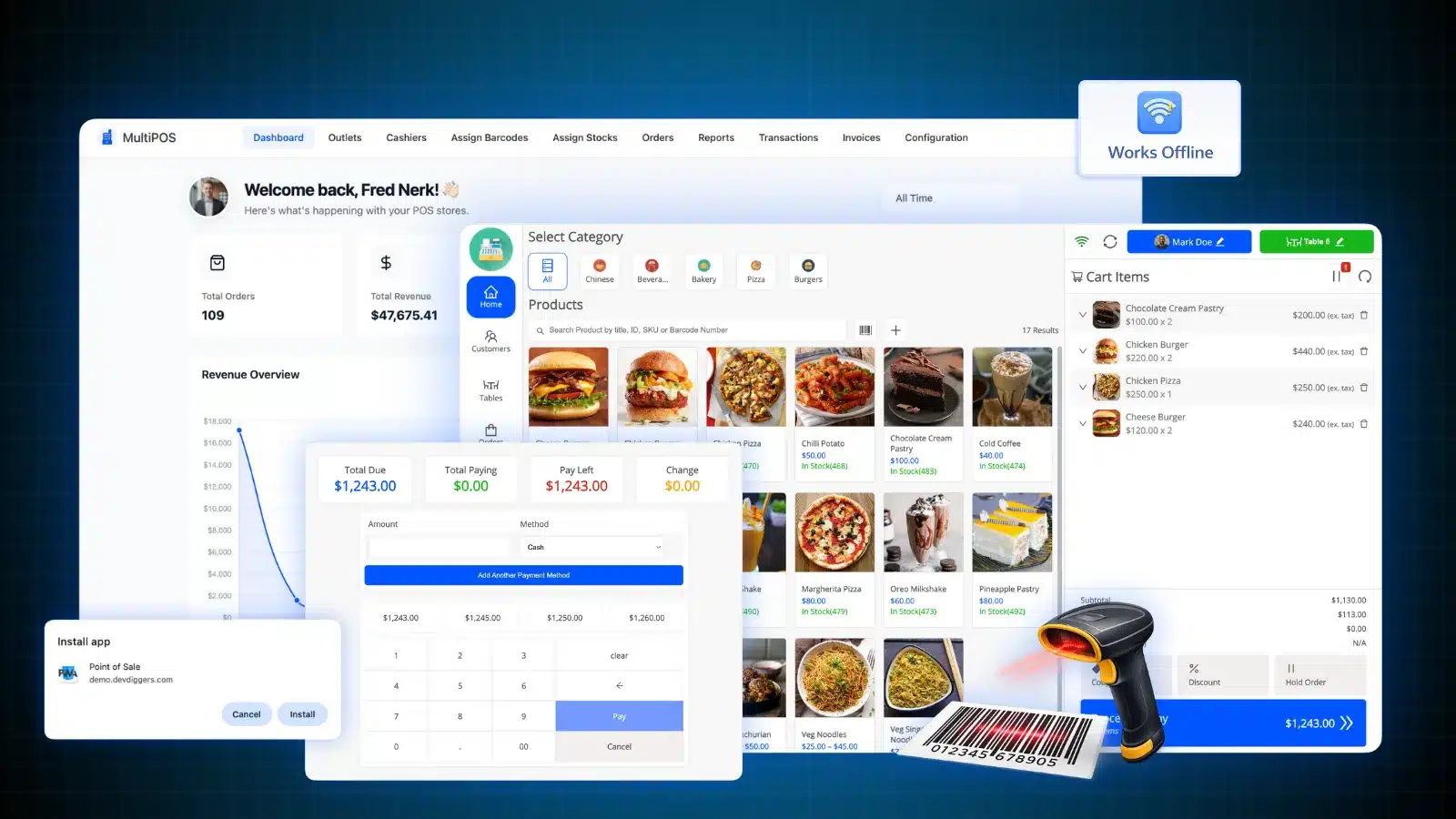
Sell in-store. Sync instantly. Never miss a sale.
A complete WooCommerce POS plugin that lets you process sales offline, manage multiple locations, and keep
inventory synced in real-time.
Faster Checkout
Stock Sync
Outlets & Cashiers
Brands That Trust Us





Your issue: Sales don't match up. Stock counts are off. Customers have to wait.
Using different systems for online and in-store sales means you do twice the work, make stock mistakes, and lose sales when the internet goes down.
MultiPOS solves this: One system. Updates in real-time. Works without internet.
Handle sales at the counter, update stock, and keep all transactions even without internet. Made for WooCommerce shops that need to rely on their system.
WooCommerce POS Plugin Features
All you need to handle sales at the counter while staying in sync with WooCommerce.
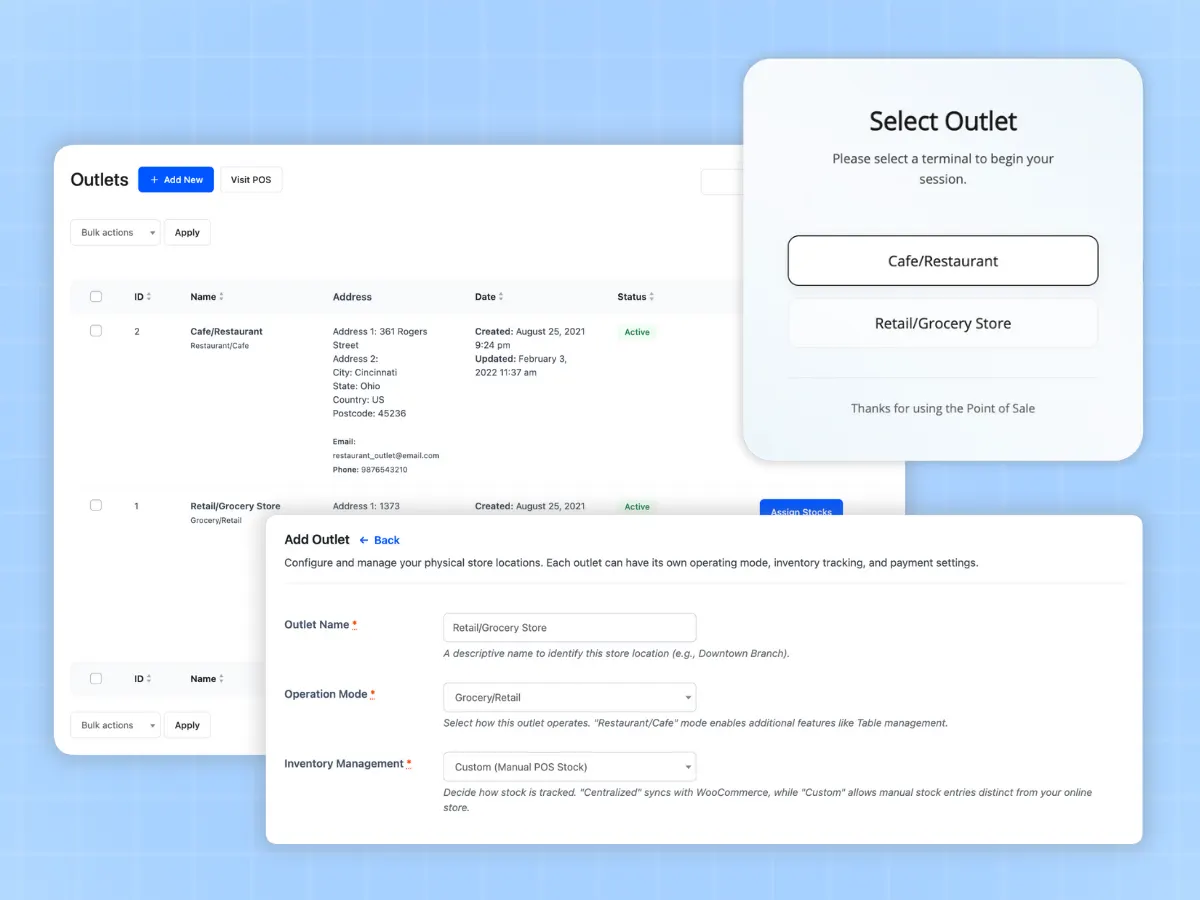
Run Multiple Stores
Grow your business across as many physical outlets as you want. Set up unique stores for different locations, give specific cashiers their roles, and keep track of stock for each place with total freedom.
- Operate as many retail or restaurant stores as you want
- Give cashiers access based on their roles
- Pick centralized or custom stock per outlet
- Customize invoices for each location
- See sales updates from every location in real-time
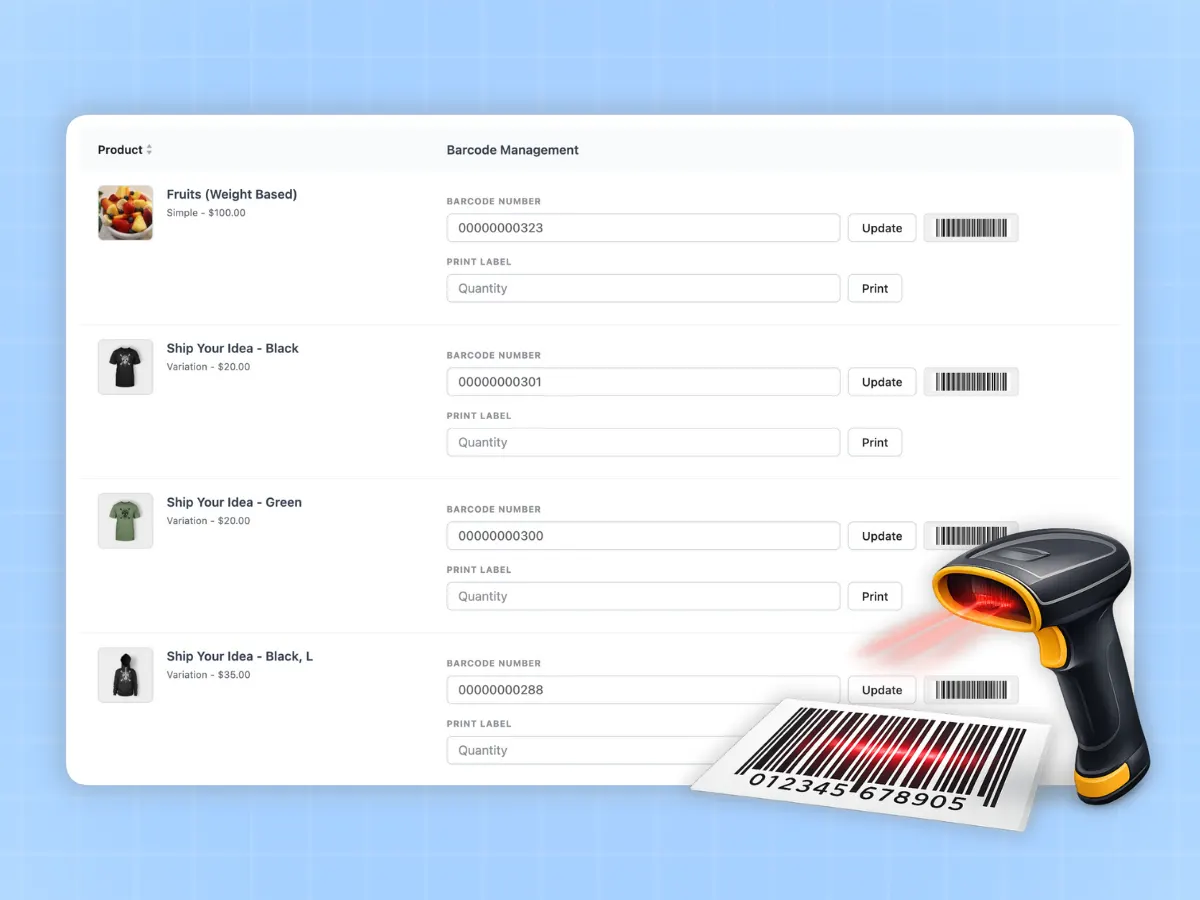
Barcode Scanning & Printing
Check out customers faster with automatic barcode creation and scanning. This works well with regular hardware scanners and helps you print barcodes for all your products at once.
- Create barcodes from product ID or SKU
- Print many barcode labels at once
- Compatible with common USB/Bluetooth scanners
- Add products to the cart by scanning the barcode
- Give any product a custom barcode
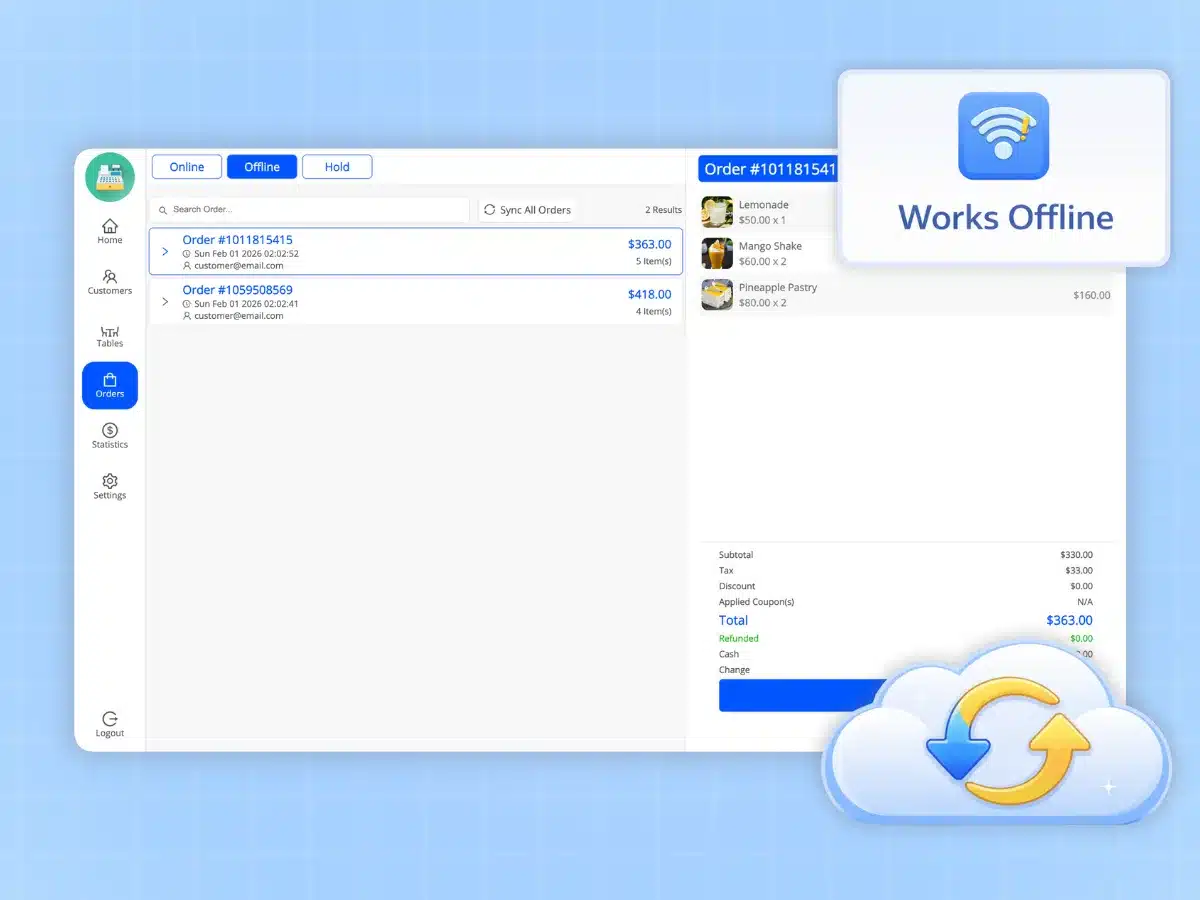
Works Offline
Keep selling even when the internet is down. MultiPOS runs offline, storing data, then updates all orders and stock when you're back online.
- Use all POS features without internet
- Update orders once you're online again
- Local storage for fast performance
- Keep offline sales safe until upload
- Switch between online and offline
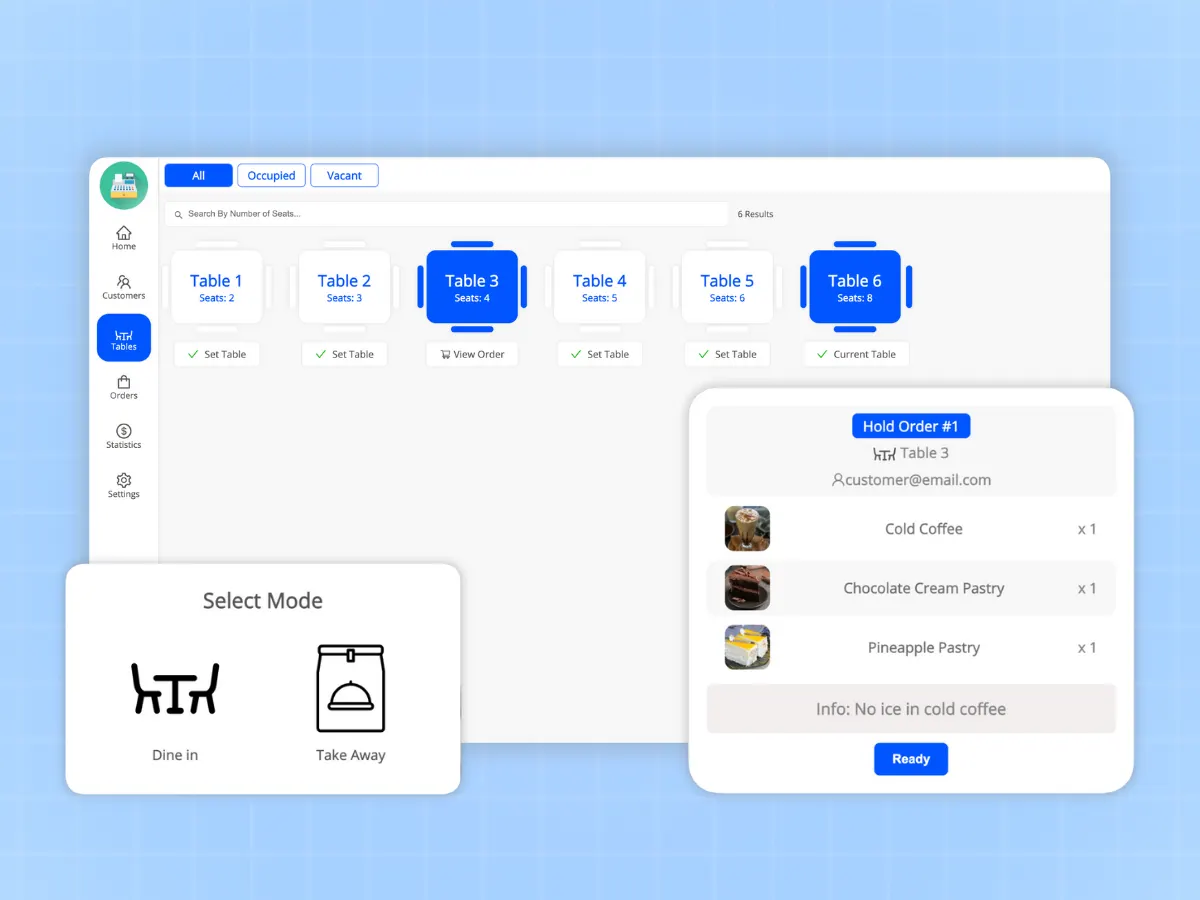
Restaurant & Table Management
Made just for food businesses. Handle tables, send kitchen orders, and watch order progress from start to finish with a pro kitchen display system.
- See what's happening on tables with a visual display
- Connect to kitchen screens for better coordination
- Automatically send orders to your kitchen
- Handle dine-in and take-away orders
- Keep an eye on orders as they're being prepared
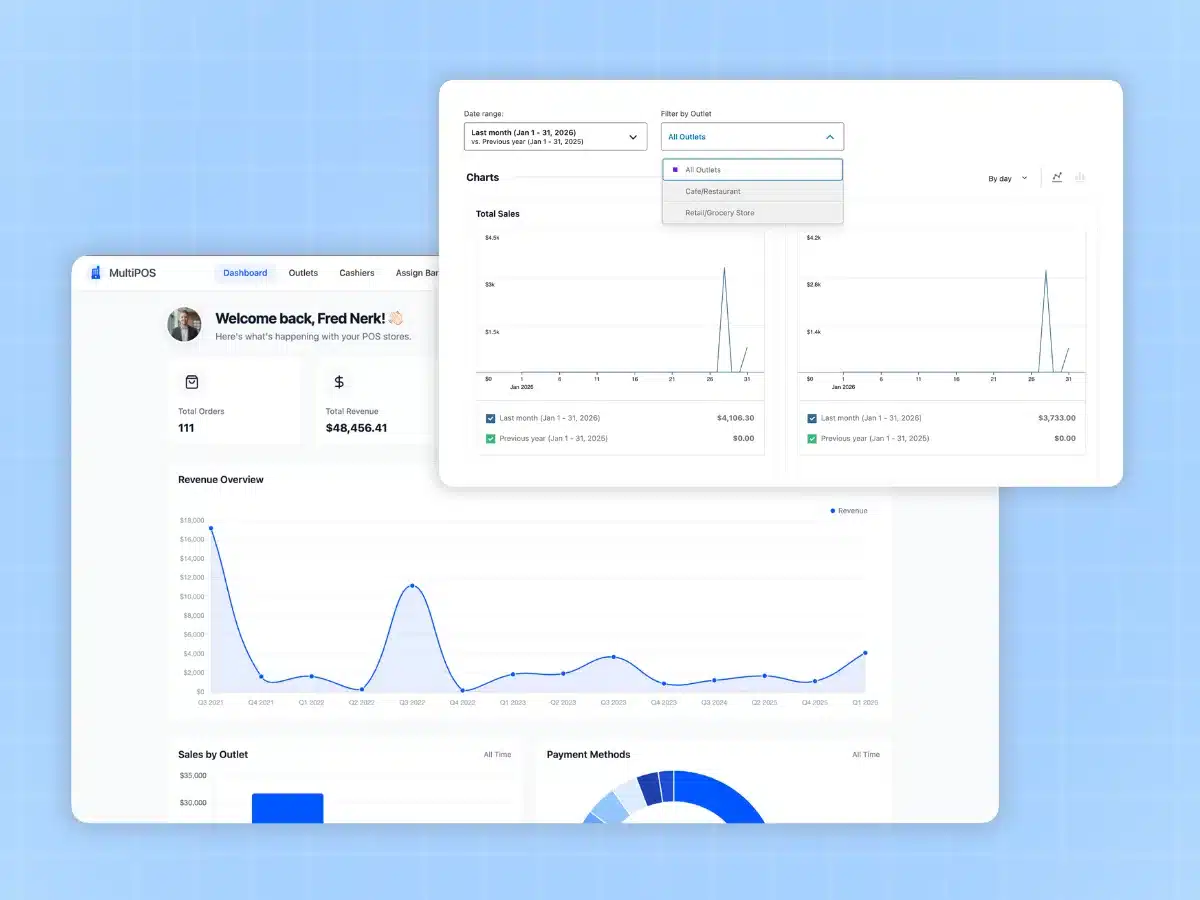
Sales Reports & Analytics
Use detailed sales reports to make smart decisions based on data. Monitor results by outlet or time frame with visual graphs.
- Real-time sales dashboard
- Compare performance between outlets and cashiers
- Monitor best-selling products
- View sales snapshots by day, week, or month
- Know the customer's frequently used payment method
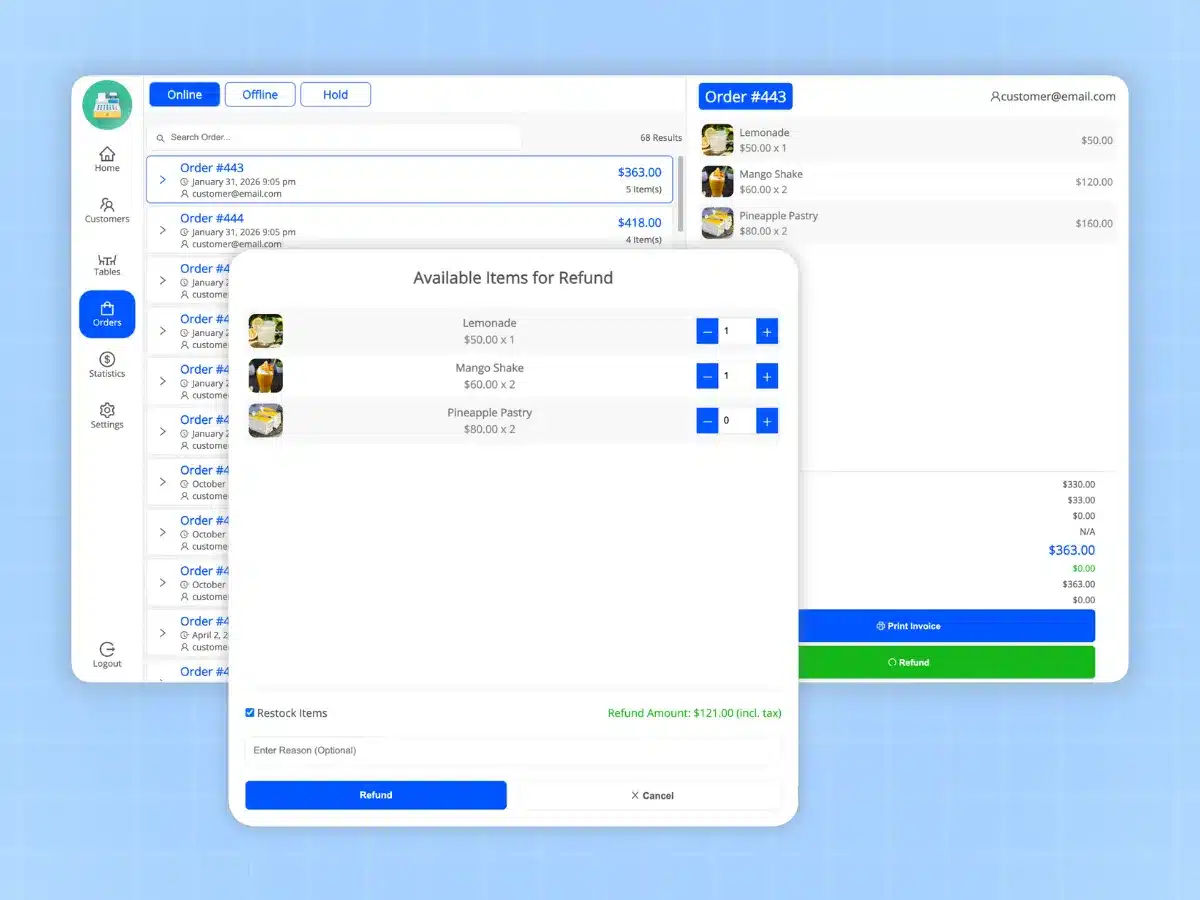
Manage Refunds
Process returns from the POS system. Handle partial or full refunds while updating inventory and keeping accurate transaction records to maintain transparency.
- Quick refund processing with a single tap
- Auto-update stock in inventory
- Keep detailed logs of all refunds
- Find past orders to manage returns
- Sync refund updates with WooCommerce
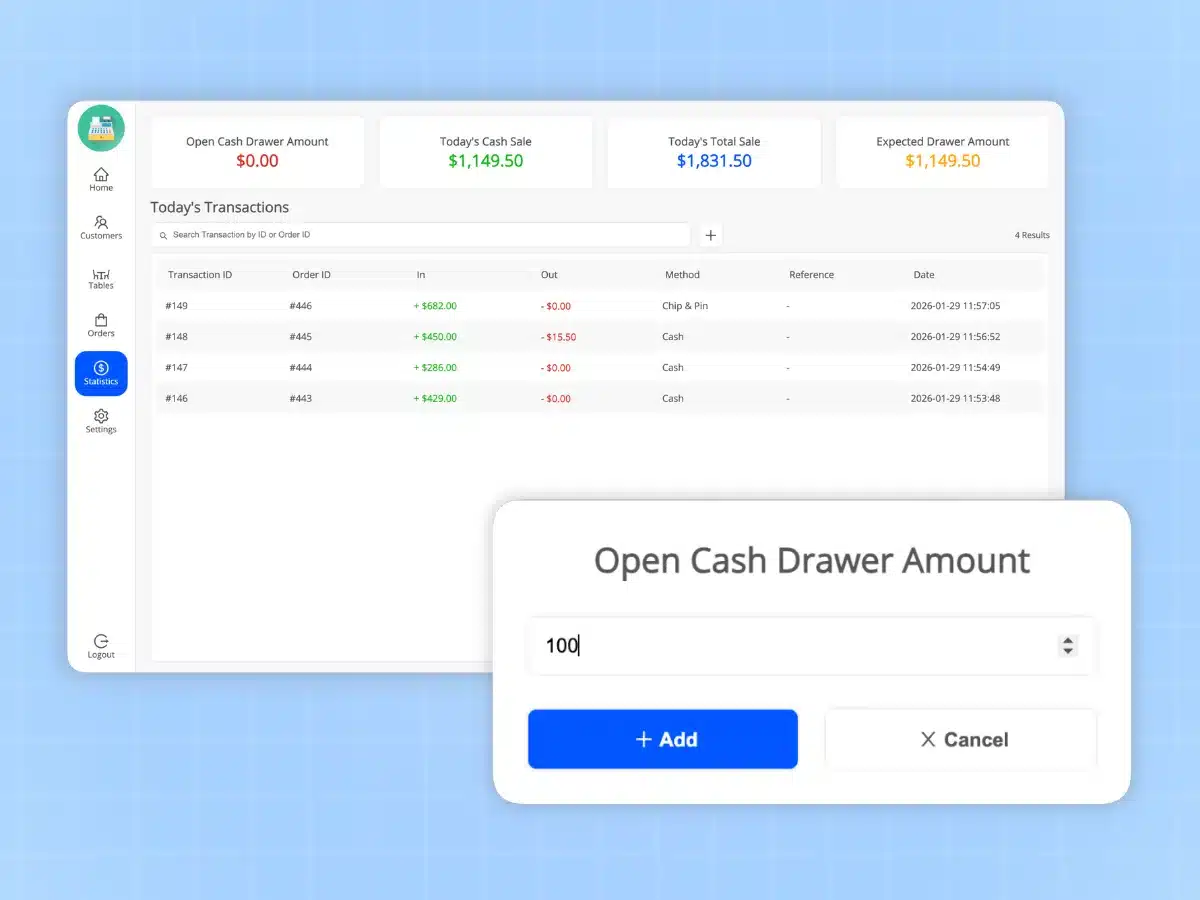
Monitor Cash Drawer
Take full control of your physical cash through petty cash management and keeping track of cash drawers. Log manual transactions and check the difference between expected and real amounts by the end of the day.
- Log manual petty cash transactions
- Check the difference between expected and actual drawer totals
- Enter opening cash drawer balance
- Record each cashier's transaction
- Monitor cash-in and cash-out activities
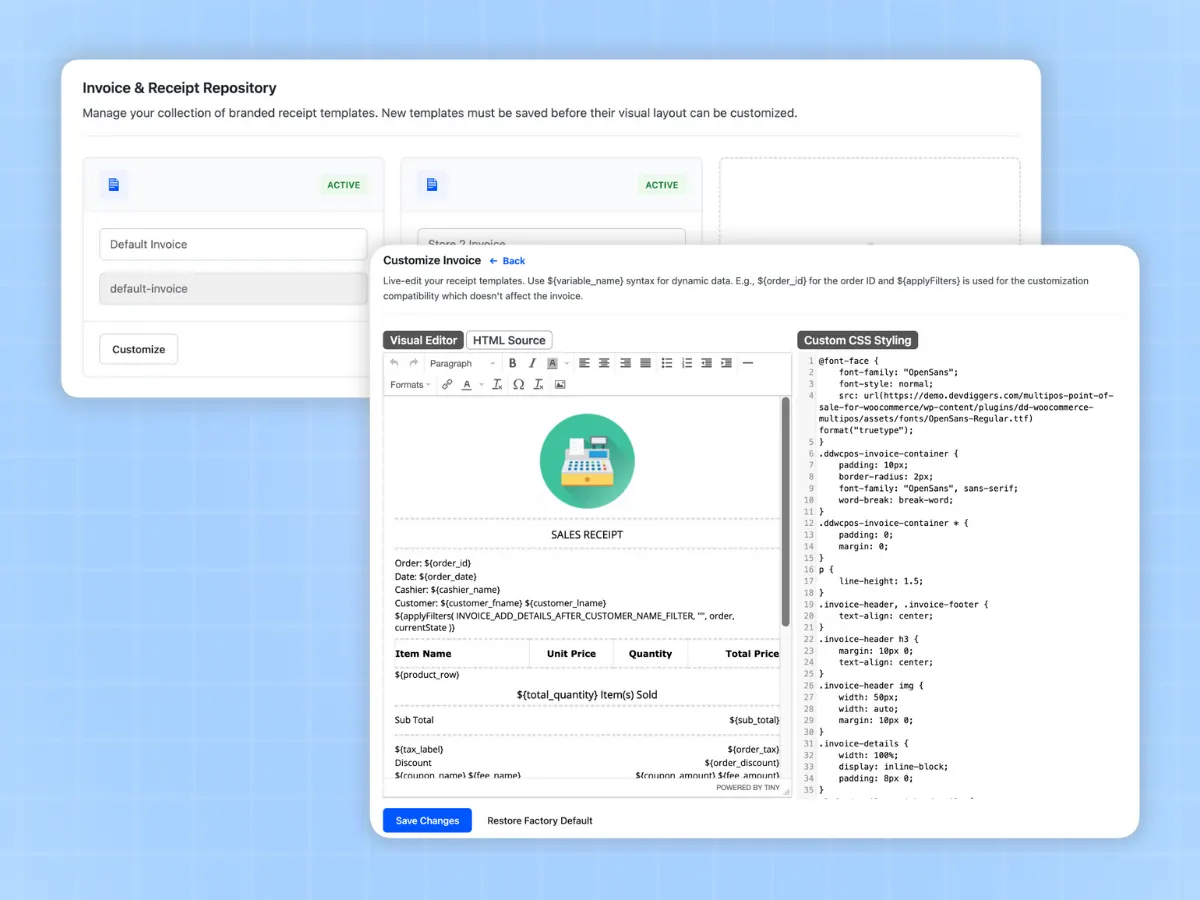
Customize Invoices/Receipts
Design receipts that align with your business style. Build personalized invoice templates by adding your logo, headers, and different info fields. Assign specific templates to each store if needed.
- Use a visual invoice editor with live preview
- Support multiple sizes like 80mm, 58mm, and letter
- Add logos, headers, and footers to invoices
- Include unique metadata fields
- Set templates for individual outlets
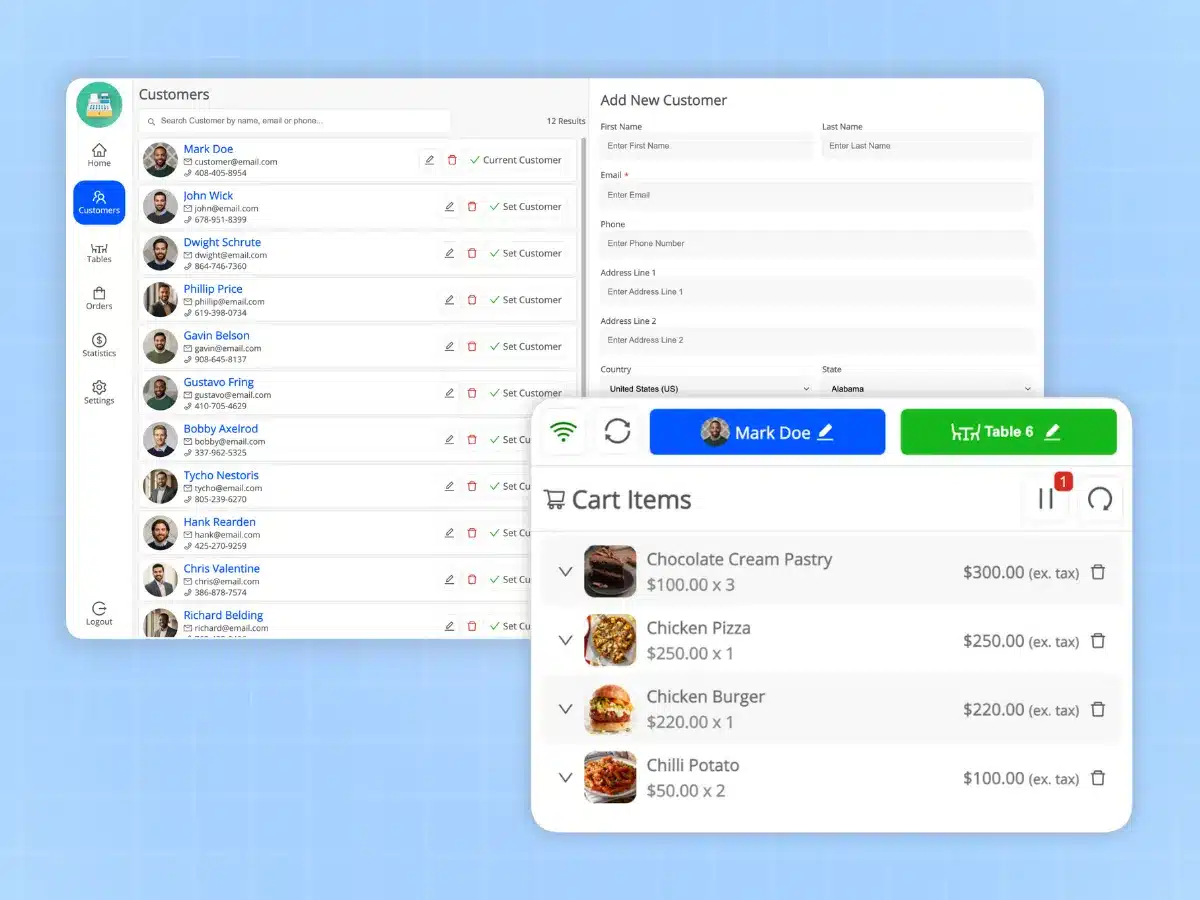
Manage Customers
You can access your entire WooCommerce customer database from the POS system to manage customer relationships with existing customers or create new customer accounts. You can also process guest orders for walk-in customers.
- Search for customers by name, email or phone
- Create new customer accounts
- Enable guest checkout for walk-in customers
- View customer order history
- Set the default customer for Fast Sales
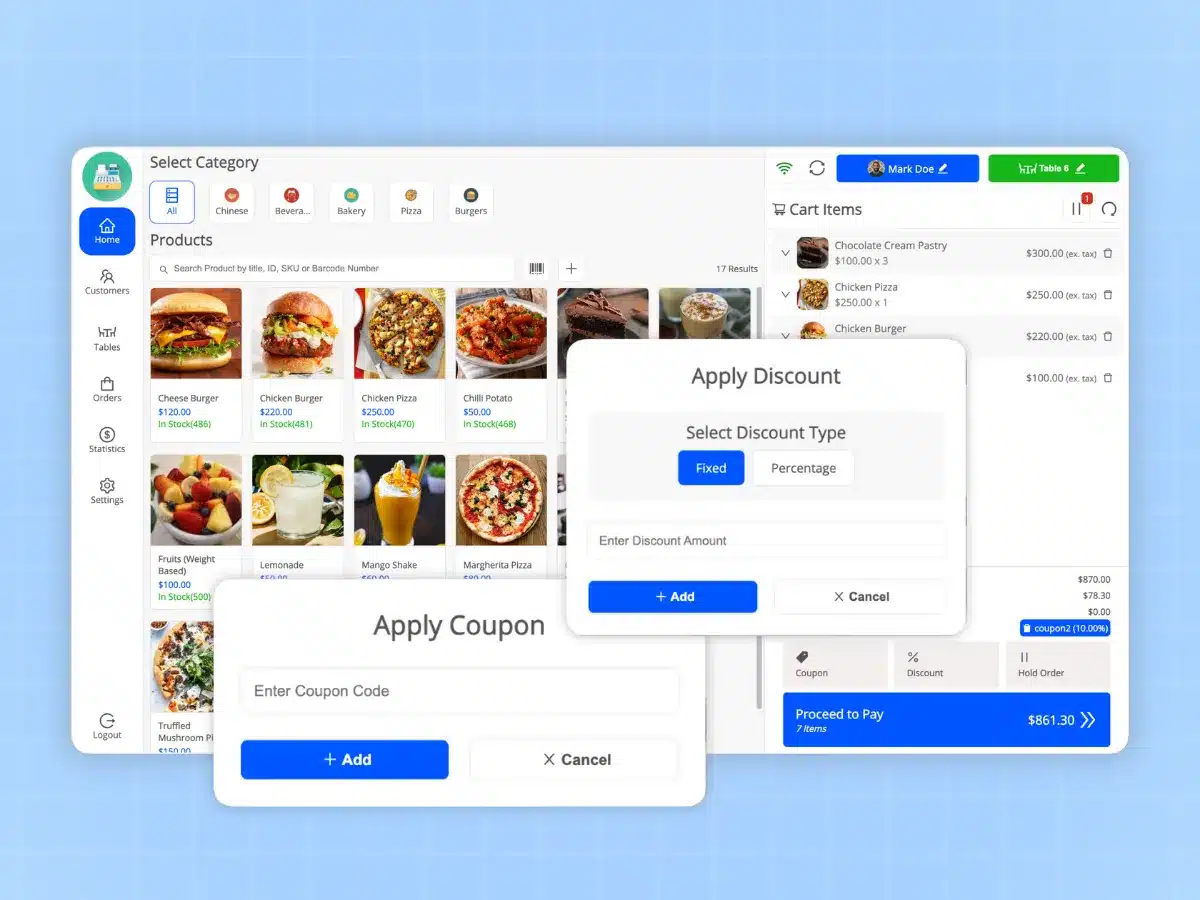
Apply Discounts and Coupons
Apply instant discounts at checkout either through the cart-level discount function or by using a WooCommerce coupon code. Both can be either a fixed amount or a percentage-based, with the discount calculated and displayed at checkout in real-time.
- Apply discounts (fixed or %) in the cart
- Use WooCommerce coupon codes
- Calculate discounts in real-time
- Require manager approval for discounts
- Track discounts in sales reports
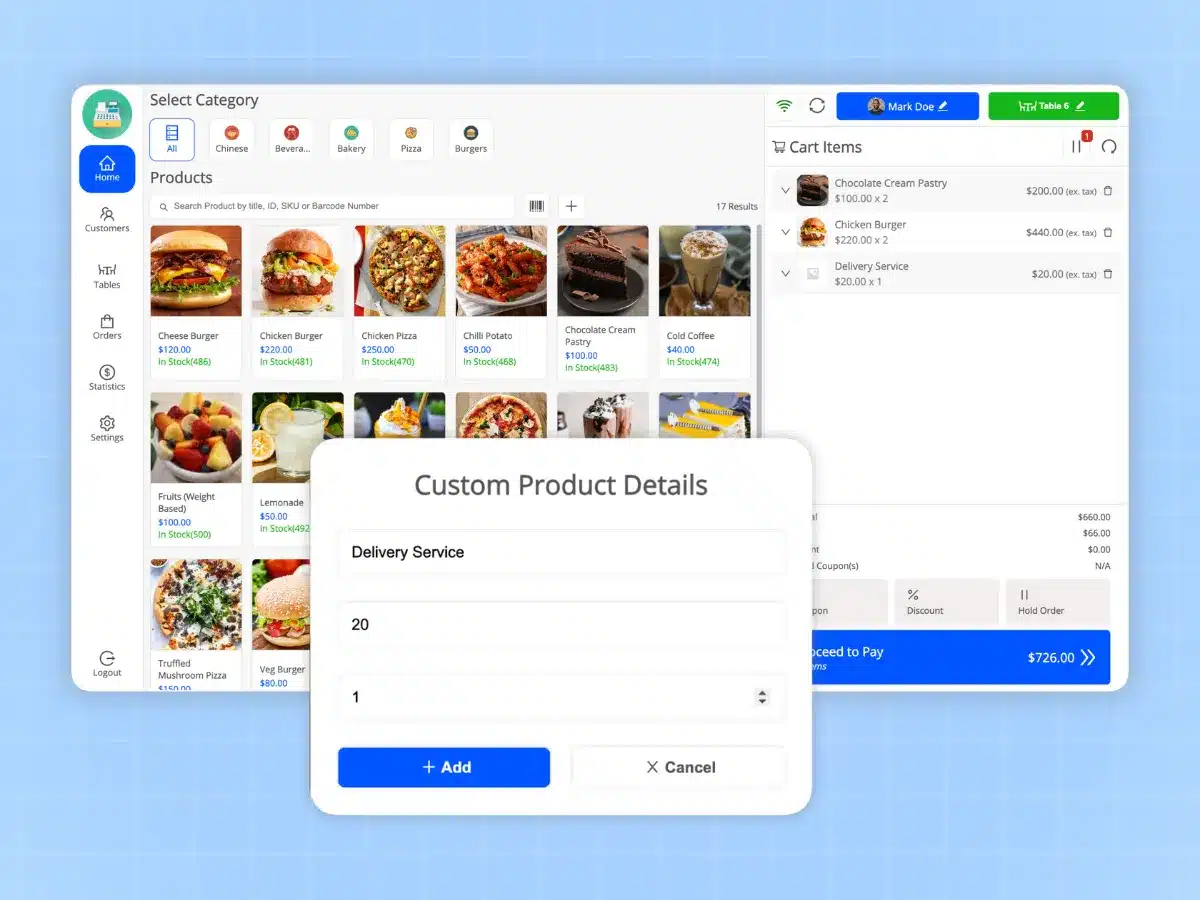
Create Custom Products
If you sell products that do not appear in your catalog, you can create and price them manually right from the POS terminal. It is useful for services, repairs or as one-offs.
- Create custom products instantly
- Price unlisted items manually
- Apply tax on custom products
- Great for services or special orders
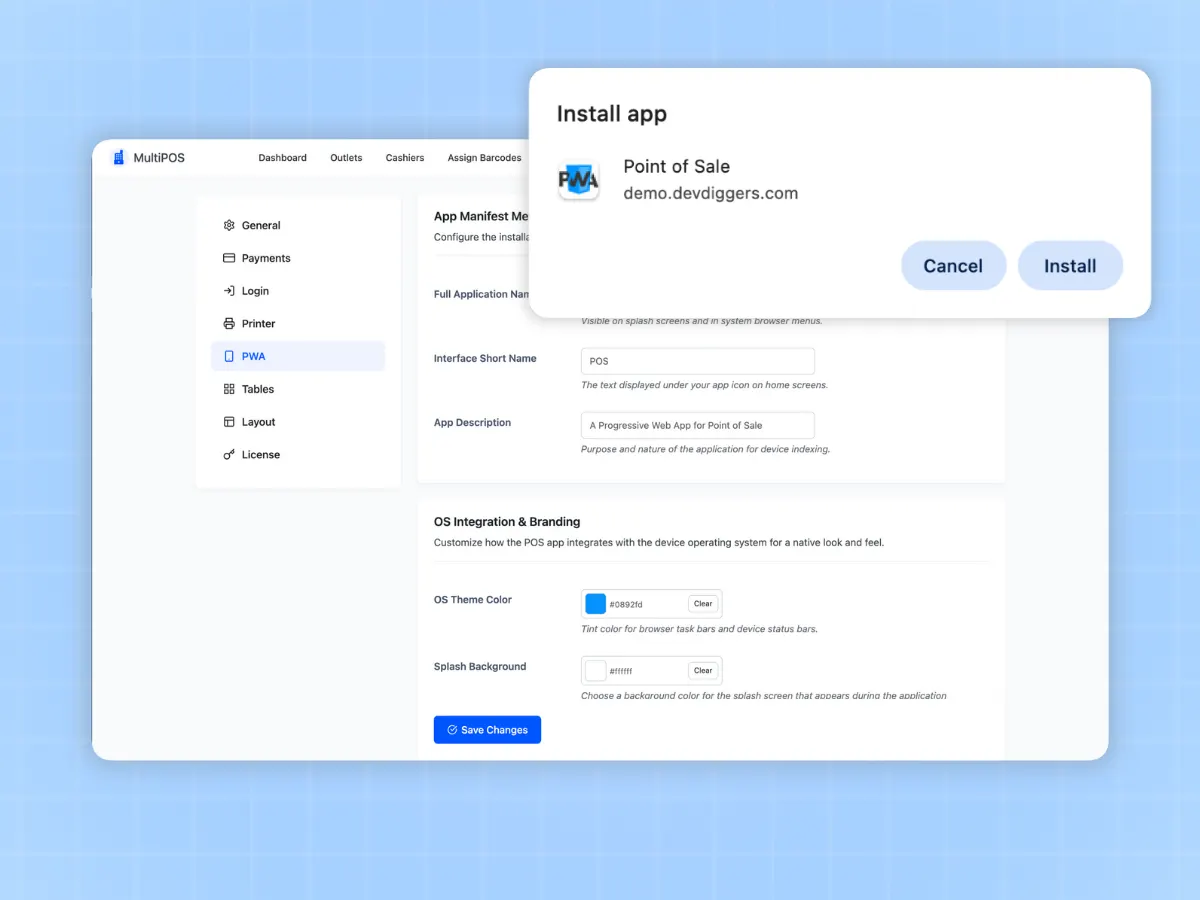
Install as a PWA App
PWA install of MultiPOS gives you native-like application capability on any device for use with standard POS hardware (i.e. thermal printer, barcode scanner, cash drawer).
- PWA install for Desktop or Mobile
- Works with thermal receipt printers (ESC/POS)
- Fits USB and Bluetooth-connected barcode scanners
- Allows cash drawers to open via the printer
- Made for touchscreen tablets
How Does the WooCommerce POS Plugin Work?
Setting Up Outlets
Create your physical stores and set their respective types of inventory.
Assigning Cashiers
Set up your cashier accounts and link them up to their respective terminals.
Processing Payments
Open up the POS terminal on any device, and begin ringing up your sales.
Syncing Data Across Locations
Inventory levels and sales are synchronised in real time with your WooCommerce database.
Benefits of WooCommerce POS Plugin for Your Business
The real-life impact that stores have experienced by using MultiPOS to operate their physical locations
Stop Missing Sales
You can still process payments even if you lose internet connection. Your POS can operate offline, meaning you'll never turn away anyone for being unable to connect.
Faster Checkouts
By using a barcode scanner and/or search for product quickly, you'll reduce checkout time by 98%. The more time spent at the register waiting for customers equals less money each hour.
Accurate Inventory Control
With the ability to sync sales from your online and physical stores in realtime, there are no longer any stock discrepancies. You will no longer oversell items or do manual stock counts.
Ability to Scale Multiple Locations
You can run as many stores as you want on your 1 WooCommerce store. Every store can have its own inventory, cashiers and reporting.
Better Cash Control
With cash logs and drawer balancing, you will always have a clear picture of your cash flow, and where it goes at the end of each day.
Make Informed Decisions Based on Data
Understand which products are doing well, which cashiers are performing well, and which locations need additional resources to function at their optimum level.
Designed to Help WooCommerce Store Owners
MultiPOS connects straight to your WooCommerce store, unlike standalone POS systems that make you handle two separate inventories. When a sale happens, it updates your online stock right away. Any product you add online shows up in the WooCommerce POS system.
This setup means you do less work, make fewer mistakes, and keep all your business data in one place.
WooCommerce Point of Sale Fits Your Current Hardware
MultiPOS works with regular POS equipment. You don't need special gear.
Thermal Receipt Printers
Works with ESC/POS compatible thermal printers for fast, quiet receipt printing. Connect via USB, network, or Bluetooth.
Barcode Scanners
Use any USB or Bluetooth barcode scanner. Just scan and products are instantly added to the cart.
Cash Drawers
Trigger cash drawer opening automatically with receipt printing. Works with most printer-activated cash drawers.
Touch Screens
Optimized for touchscreen tablets and monitors. Large buttons and intuitive gestures for fast checkout.
Card Terminals
Integrate with payment terminals for swipes, chips, and contactless payments. Support for major providers.
Customer Displays
Show customers their order details and totals with external customer display screens.
Loved by Store Owners Worldwide
See what business owners are saying about MultiPOS

James Chen
Manager, TechHub Electronics
“Running three locations became so much easier. The multi-store feature and centralized reporting give us complete visibility. Customer satisfaction has never been higher.”

Maria Rodriguez
Owner, Bella Boutique
“Finally a POS that truly integrates with WooCommerce! The cash control features help me track every dollar. I can manage everything from my phone when I'm on the go.”

Jordan Myers
Store Manager, Coffee Haven
“MultiPOS has streamlined our daily operations. The barcode scanning and inventory sync are incredibly accurate. Best POS investment we've made.”

David Thompson
Director, Urban Bistro
“The kitchen display system and table management are game-changers for our restaurant. Our kitchen efficiency improved by 40% and table turnover is at an all-time high.”
Lisa Nakamura
Owner, Sakura Japanese Cuisine
“Customer support is exceptional. They helped us customize the receipt templates exactly how we wanted. The PWA app works flawlessly on our tablets.”
Robert Williams
Manager, Sports Authority
“We process over 200 transactions daily. MultiPOS handles it without breaking a sweat. The barcode scanning and inventory sync are rock solid. Worth every penny.”
One Plugin. Every Store. No Per-Transaction Fees.
Thousands of WooCommerce stores trust AtubAgency plugins for growth — join them today.
Renews and billed yearly until it is canceled. Easily & fully cancelable from your account. All plans works as long as your subscription remains active.
1 Site License
Perfect for single location businesses
- Use on 1 Website
- All Features Included
- Unlimited Updates
- Priority Support
5 Sites License
For businesses with multiple websites
- Use on 5 Websites
- All Features Included
- Unlimited Updates
- Priority Support
10 Sites License
For agencies and large operations
- Use on 10 Websites
- All Features Included
- Unlimited Updates
- Priority Support
Secured by a 14-day Refund Policy
If our plugin is not working as promised, you have the backup of our
14-day refund policy to ask for your money back.
Version
6.0.0
Last Updated
February 27, 2026
Changelog
View ChangelogRequires
WordPress 6.5+
WooCommerce
9.0+
WooCommerce Point of Sale Plugin Screenshots
See the plugin in action or visit the live demo.
Frequently Asked Questions About Our Point of Sale for WooCommerce Plugin
Do you have any questions about the WooCommerce POS plugin? You might find the answers to some common ones below.
Turn your WooCommerce store into a complete point of sale system
Process in-store sales, sync inventory in real-time, and manage multiple locations from one dashboard. Works offline when internet drops.